Guide
Watermark your ID document.
A letting agent, a car rental desk, a buyer on a marketplace, a new employer: everyone asks for a copy of your ID card or passport, and nobody tells you where it will be kept. A watermark writes on the copy what it is for. It stays readable for the person you send it to, and stops being an ordinary ID copy anywhere else.
Updated 3 November 2026
The method
Step 01
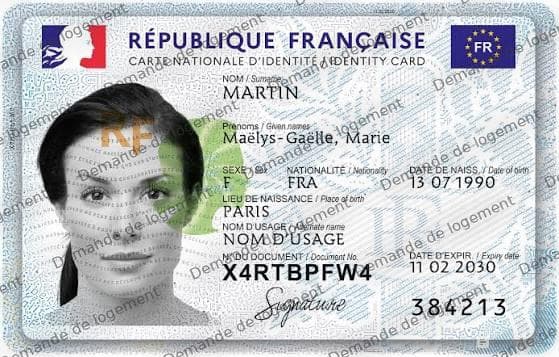
Scan the document as you would send it
Front and back of the card, or the passport page with your photo. A phone photo is fine: Anoni accepts PDF, JPG and PNG files, and always gives back a PDF.
The documents
- ID card, front and back
- Passport, photo page
- Residence permit, front and back
- Driving licence
PDF, JPG or PNG · always a PDF out
Step 02
Open “Watermark” and drop the document
“Watermark” is in the sidebar, on the “Mark” tab. Drop both sides at once. Your original files are not changed: Anoni writes new ones next to them.
The drop zone, before the first file. Step 03
Write who the copy is for, why and when
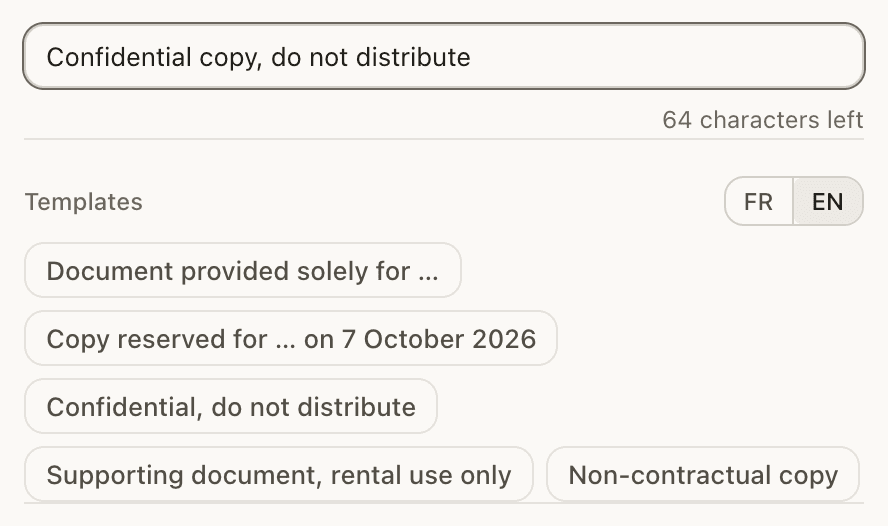
Start from the “Copy reserved for …” template, which adds today's date, or from “Document provided solely for …”: “Copy reserved for Example Car Rental, vehicle hire, on 4 November 2026”. The more precise the sentence, the less the copy is worth anywhere else. The field takes a hundred characters.
The field, its counter, and the five templates. Step 04
Set the size and visibility of the mark
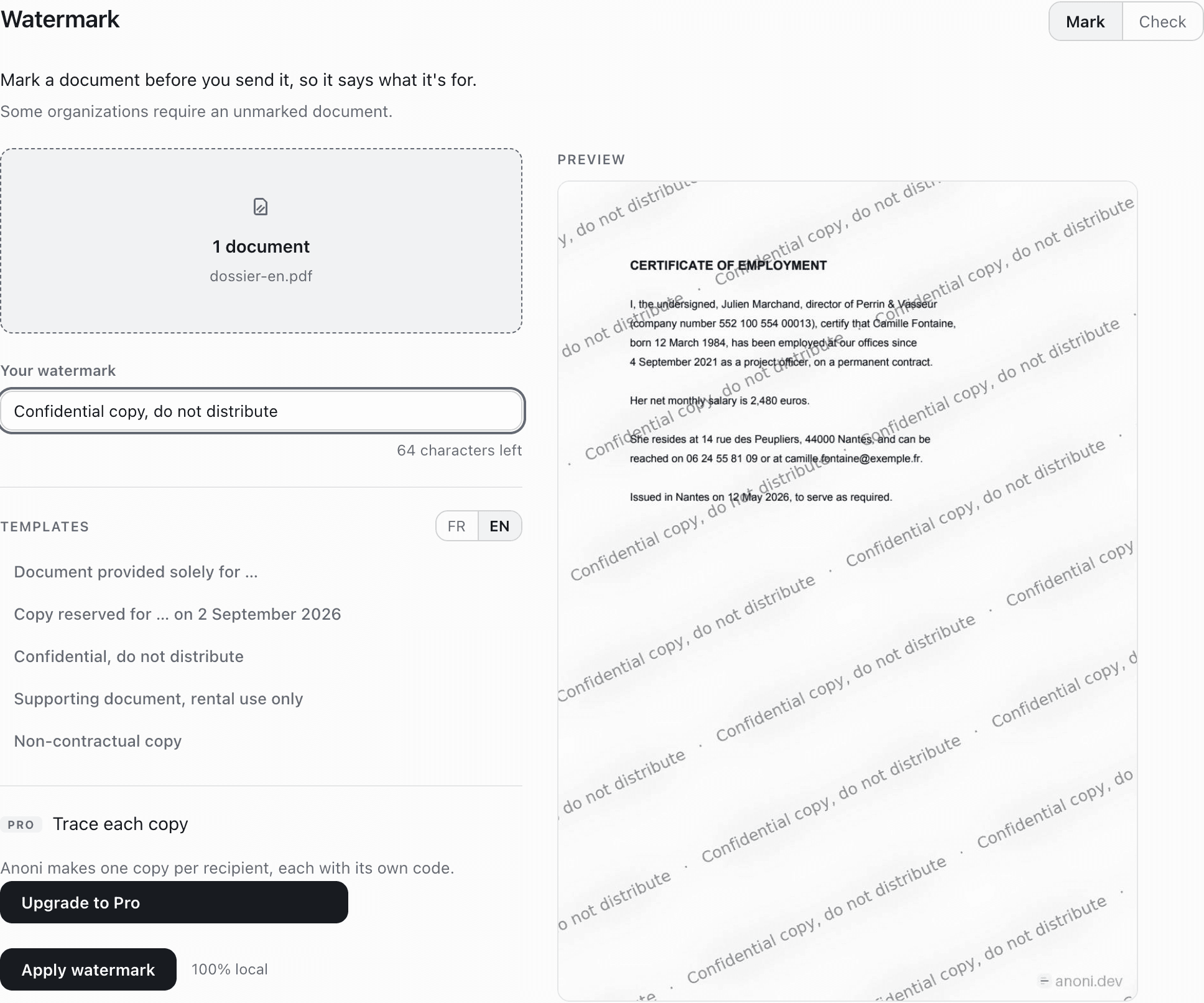
Under “Legibility”, pick “Subtle”, “Standard” or “Strong”. To go further, “Custom” opens two sliders: “Text size” and “Opacity”. A bigger, darker mark shows from across the room and is hard to remove; it only has to leave the document number and the photo readable. The “Preview” shows the real result before you apply it.
“Legibility” on the left, the real preview on the right. Step 05
Send the marked copy, keep the original clean
The “Documents watermarked” list gives you the files, ready to attach. Keep the original scan aside, and make a different marked copy for each recipient.
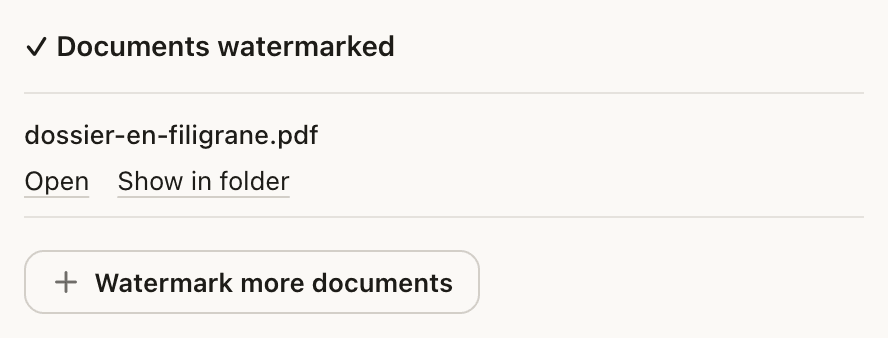
The file, written and named. The original is untouched.
What to know
What a copy of your ID holds.
Your name, date and place of birth, your photo and the document number, often your address. That is exactly what remote identity checks ask for. A copy sent to hire a car or sell a bike then sits in an inbox, a shared folder or a computer you will never see. A watermark does not make it disappear; it takes away its value outside the use you gave it for.
What a watermark changes, and what it does not.
It changes reuse. A copy with “Copy reserved for Example Car Rental” across the page no longer passes for an ordinary ID copy anywhere else, and that shows at a glance. It does not stop a person from reading your details and typing them out. It deters and it traces; it does not protect the content. To make information disappear you redact it, and Anoni does that too.
A mark at the right size.
Four “Legibility” levels: “Subtle”, “Standard” (the default), “Strong” and “Custom”. In “Custom”, “Text size” runs from 1.5% to 5% of the page diagonal and “Opacity” from 15% to 75%; the spacing between lines follows the size. On a phone photo of a card, the card often fills only part of the picture: raise the size so the sentence runs across the card itself. Below Standard, the app warns you: “Easier to read, but easier to remove.”
A mark that does not peel off.
Many tools lay the watermark on top of the page as an object that a PDF editor removes in one click. Anoni renders each page as an image and rebuilds the PDF, so the sentence is part of the pixels, like the photo. The trade-off: the text is no longer selectable and the file is heavier. For an ID document, that costs nothing.
Nothing leaves your computer.
Watermarking your ID on a website means sending it to one more recipient in order to protect it. Anoni applies the watermark on your own machine. Nothing is uploaded and nothing is queued. Turn off the Wi-Fi and it still works.
One copy per recipient.
If your ID goes to several people, make one copy per recipient, each with its own sentence. With a Pro licence, Anoni can also hide a discreet code inside the mark of each copy, and the “Check” tab then tells you which copy a file you found came from. The code identifies the copy, not the person who shared it.
Questions
What should a watermark on an ID card say?
Who gets the copy, what for, and when: “Copy reserved for Example Car Rental, vehicle hire, 4 November 2026”. Avoid a bare “Copy”, which says nothing about what the copy may be used for. Anoni's field takes a hundred characters and offers templates to fill in.
Should I mark the front and the back?
Yes. The back holds personal details too, often your address. Drop both sides: Anoni marks each file.
How do I make the watermark more visible?
Set “Legibility” to “Strong”, or to “Custom” to raise the “Text size” and the “Opacity”. Check in the “Preview” that the number and the photo still read.
What about a passport?
Same method, on the photo page. The line of characters at the bottom repeats your details: it stays under the watermark like the rest, and must stay readable for the recipient.
Can someone refuse a watermarked copy?
They can ask for an unmarked one, especially if they are required to verify your identity, like a bank. Anoni shows that reminder itself: some organizations require an unmarked document. Keep your original scan for those cases.
Does it prevent identity theft?
Not on its own. It makes the copy unusable as-is elsewhere and marks where it came from. It does not stop anyone from reading and copying your details.
I only have a phone. What can I do?
Anoni runs on a computer, on macOS, Windows and Linux. Take a photo of the document with your phone, move it to the computer, then mark it.
How much does it cost?
Nothing. Writing a watermark and applying it to as many documents as you like needs no Pro licence. Only per-copy tracing, with a code per recipient, needs a Pro licence.
More guides
- 14 October 2026Convert a PDF to WordA PDF into an editable .docx, on your own machine. What the conversion keeps, and what it does not.
- 3 November 2026PDF or scan to Word: lawyers and notariesSubmissions, contracts, co-ownership rules, old deeds: bring them into Word without them leaving the firm.
- 3 November 2026Watermark a PDFOne sentence repeated on every page, baked into the image. Free, local, and it does not peel off.
To mark your document, download Anoni. See also how to protect a rental application, how to watermark a PDF, in detail, and how to redact a PDF.