Guide
Protect your rental application.
ID, payslips, tax notice: a rental application is the most complete bundle of personal documents you will ever send, and it goes to strangers, several times over. A watermark says what those documents are for, and what they are not for.
Updated 27 September 2026
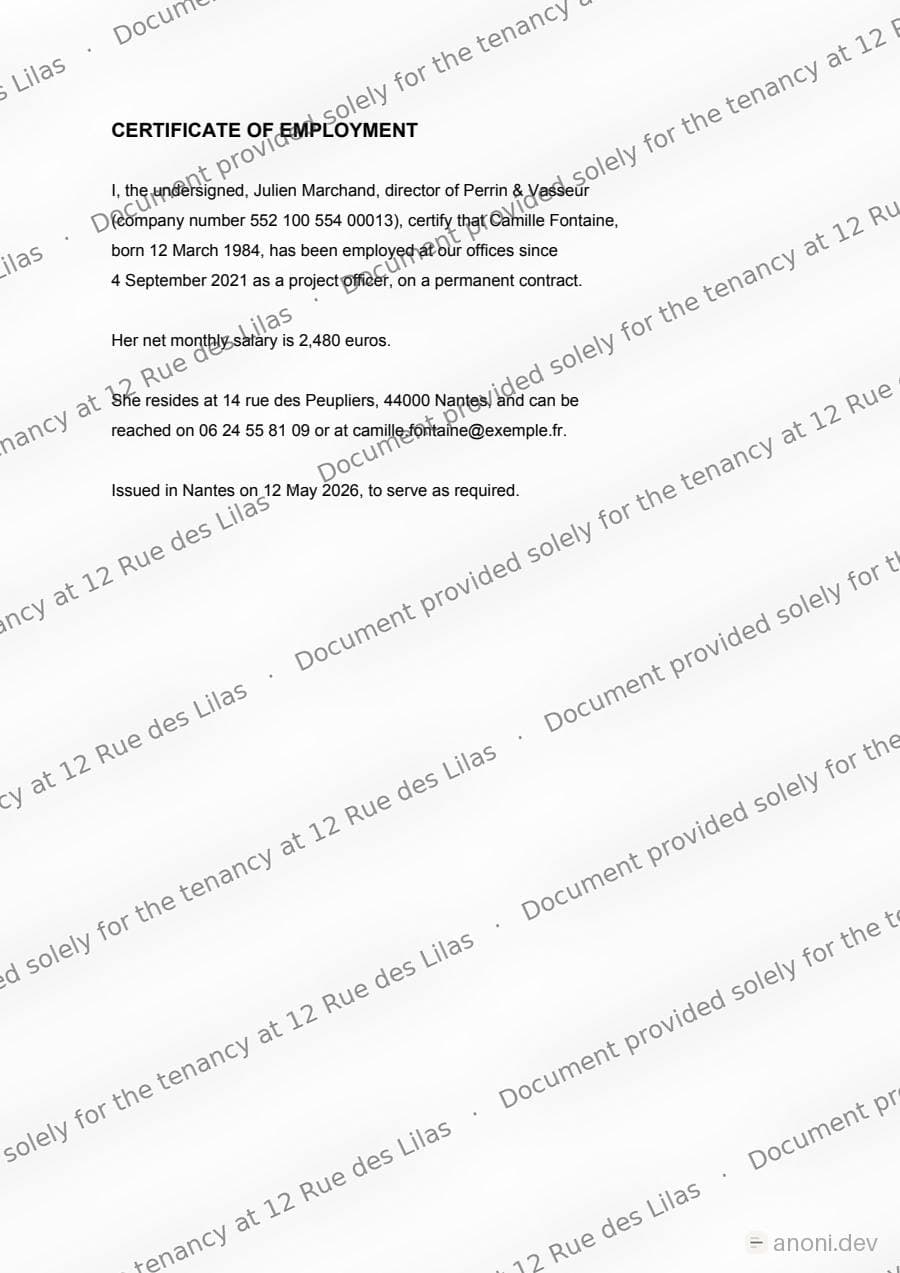
The method
Step 01
Gather the documents exactly as you would send them
ID, the last three payslips, tax notice, proof of address, employment contract. PDFs or photos, it does not matter: Anoni takes PDFs, JPGs and PNGs, and always returns a PDF.
The documents
- ID document
- Last three payslips
- Tax notice
- Proof of address
- Employment contract
PDF, JPG or PNG · always a PDF back
Step 02
Open Watermark and drop them all at once
The Watermark entry is in the sidebar, on the Mark tab. You can drop the whole set in one go. Your original files are not modified, Anoni writes new ones beside them.
The drop zone, before the first file. Step 03
Write what the file is for, and for whom
The “Document provided solely for …” template exists for this. Name the destination: “Document provided solely for the tenancy at 12 Rue des Lilas”. The more specific it is, the less reusable the document becomes elsewhere. The field takes a hundred characters, which is plenty.
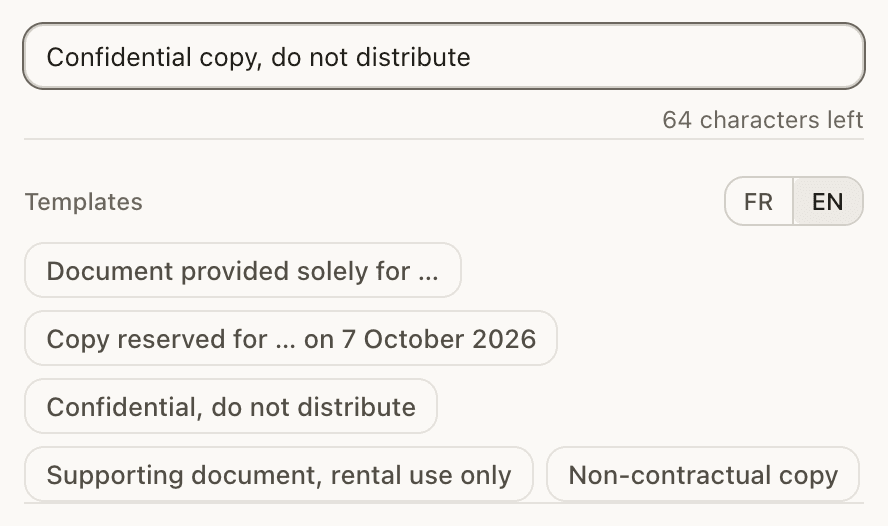
The field, its counter, and the five templates. Step 04
Check the preview and apply
The preview shows the real rendering. The mark has to stay readable without making the document unreadable: an agency that cannot read your tax notice will ask for it again without a watermark, and you will have gained nothing.
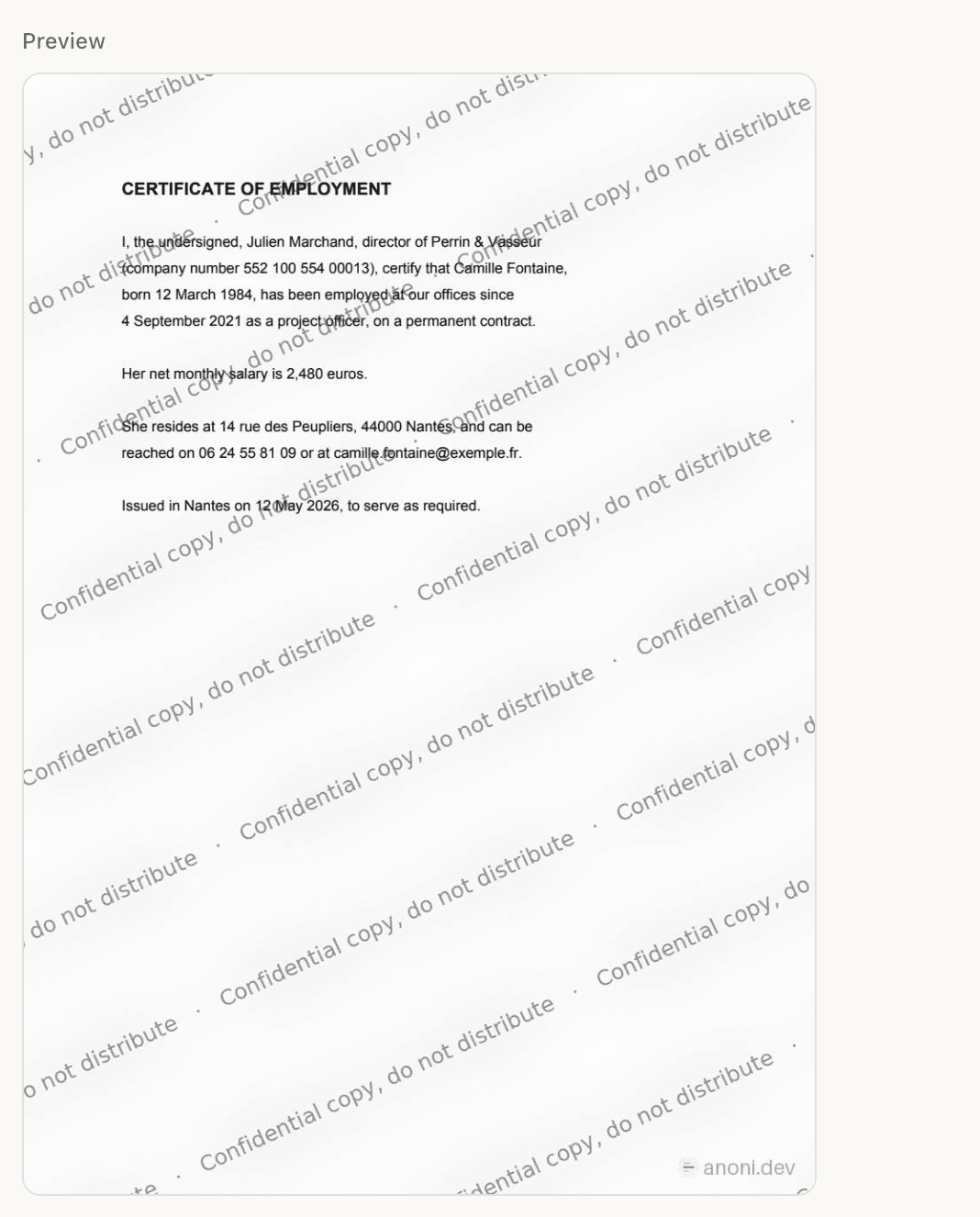
The preview shows the real rendering, not a simulation. Step 05
Send the watermarked files, keep the originals
The Documents watermarked list hands them back, ready to attach. Keep your originals aside: some organisations require an unmarked document, and you will need them on the day you sign.
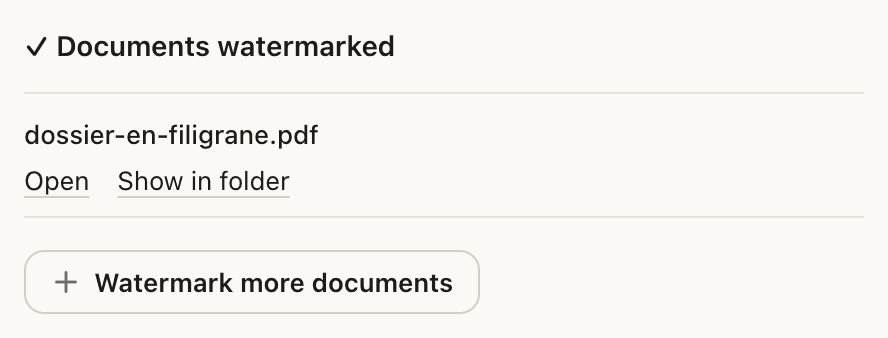
The file written, named. The originals are untouched.
What to know
What a rental application actually contains.
An ID document, a tax notice, three payslips, a proof of address, sometimes bank details. Put end to end, that is your civil status, your address, your employer, your salary and your tax number. It is the most complete bundle of personal documents most people will ever hand over, and it goes by email to agencies and private landlords nobody knows, often five or ten times over, for a single flat. Once sent, it does not come back, and nobody will tell you where it ended up.
What a watermark changes, and what it does not.
It changes reuse. A payslip carrying “Document provided solely for the tenancy at 12 Rue des Lilas” across every page can no longer serve as proof of income somewhere else without that being obvious immediately. An ID scan marked the same way is useless for opening an account. It does not change the fact that a human can read your details and retype them: a watermark deters reuse and makes a document unusable as-is, it does not make the content unreadable. If you want the content gone, a watermark is not the tool, redaction is, and Anoni does that too.
A mark that does not come off.
This is what separates a useful watermark from a decorative one. Most tools lay the mark on top of the page as an object, and Acrobat removes it in one click. Anoni renders every page to an image and rebuilds the PDF, so the sentence is part of the pixels, exactly like the text. One trade-off to know before you send: the text is no longer selectable and the file is heavier. On a rental application that costs nothing, nobody is going to copy and paste your tax notice.
Written with the French state's service in mind.
The French government already publishes a service for this, FiligraneFacile (filigrane.beta.gouv.fr), born of the same observation about rental applications. Anoni reuses its geometry, published under the MIT license: the sentence tiled across the page diagonal, rotated, with a blurred copy underneath that makes erasing it messy. The difference is where it runs. The online service receives your documents on its servers, Anoni processes them on your machine. For documents whose very problem is that they circulate too much, that difference matters.
Knowing which copy a leak came from.
If you send the same file to eight agencies, a Pro licence lets you write one copy per recipient, each with its own discreet code placed inside the mark. The register stays on your machine, with the names encrypted. The day your file turns up where it should not, the Check tab tells you which copy it came from. One limit, in the app's own words: the code identifies the copy, not whoever shared it. An agency may have passed it on in good faith. It is a starting point for a conversation, not proof.
Nothing leaves your machine.
This is the point that decides it here more than anywhere else. Watermarking a rental application by uploading it to a free website means adding one more recipient to documents whose problem is that they already have too many. Anoni applies the watermark on your own computer. Nothing is sent, nothing is queued, and there is no file to remember to delete afterwards. Turn the Wi-Fi off and it still works.
Frequently asked
Can a landlord refuse a watermarked application?
They can ask for an unmarked one, and sometimes that is legitimate, for instance for a document passed to a rent guarantor. Anoni shows that reminder in the app itself. In practice, a watermark that names the destination and leaves the document perfectly readable causes no difficulty. Keep your originals for the day you sign.
Does it actually prevent fraud?
No, and that has to be said plainly. A watermark makes a document unusable as-is and leaves a provenance trail. It does not stop anyone reading your details or retyping them. It is a deterrent and a traceability measure, not protection of the content.
Should I watermark the ID document too?
That is the one that benefits most, because it is the one used to open accounts elsewhere. Mark it, naming the destination. Just make sure the number and the photo stay readable, or you will be asked for it again.
What does it cost?
Nothing. Writing a watermark and applying it to as many documents as you like needs no Pro licence. Only per-copy tracing, a different version for each agency with its own code, needs a Pro licence.
Which systems?
macOS, Windows and Linux, with the same tool.
More guides
- 14 October 2026Convert a PDF to WordA PDF into an editable .docx, on your own machine. What the conversion keeps, and what it does not.
- 27 September 2026Watermark a PDFOne sentence repeated on every page, baked into the image. Free, local, and it does not peel off.
- 27 September 2026Anonymize before AI, in 4 stepsThe whole loop: open, let Anoni mask, paste into the AI, decode the reply.
To mark your application, download Anoni. See also how to watermark a PDF, in detail, the difference between marking and redacting, and the other guides.