Guide
Watermark a PDF.
Anoni repeats the sentence of your choice on every page, on your own machine. The mark is baked into the image rather than laid on top of it, so it does not come off with one click. It is free, it works offline, and your files are never uploaded.
Updated 27 September 2026
The method
Step 01
Open Anoni, then Watermark
The Watermark entry is in the sidebar. It opens on the Mark tab, with its 100% local badge.
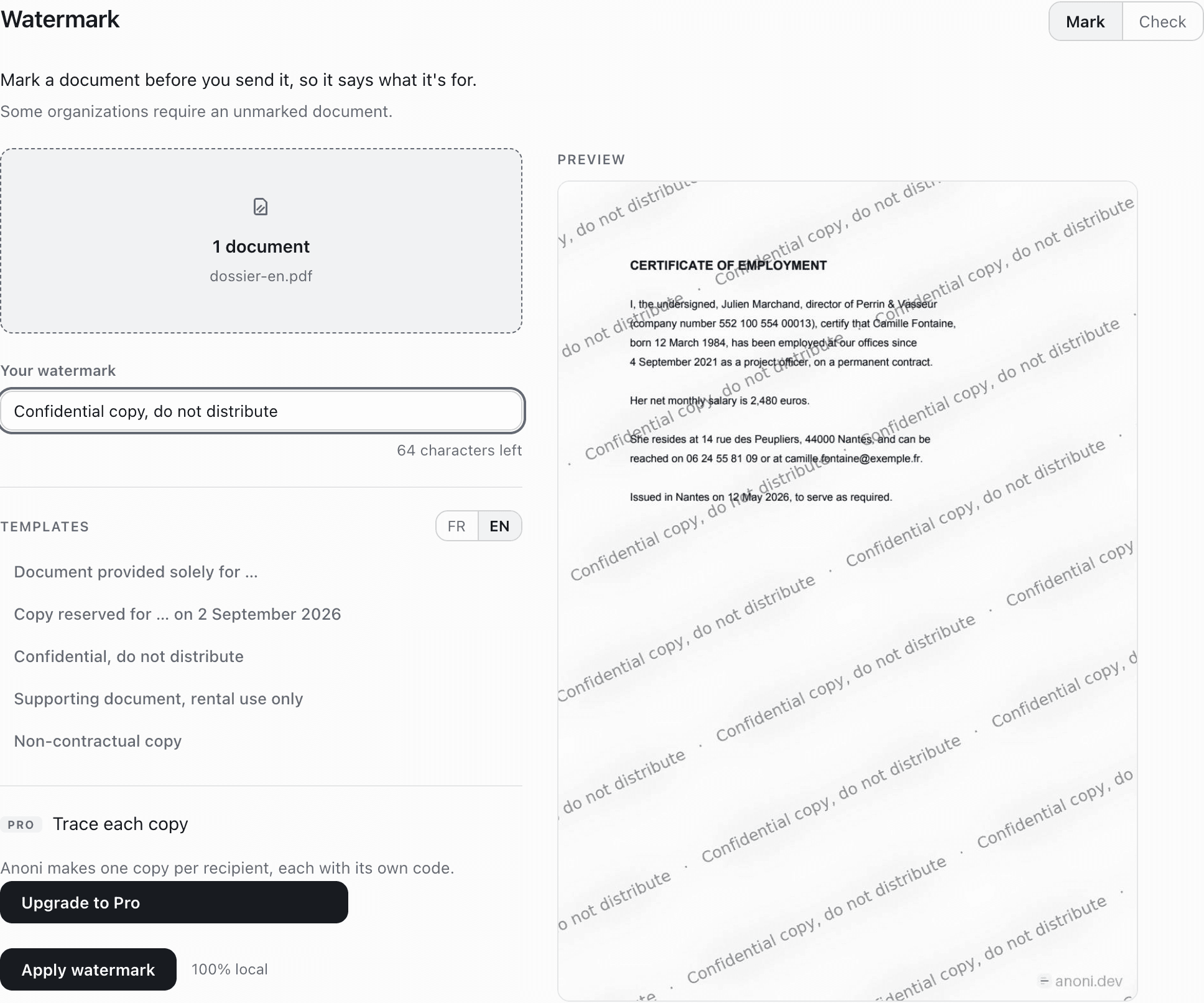
The whole screen, once a document is chosen. Step 02
Drop your documents
Drag your files onto the drop zone, or click to pick them. Anoni takes PDFs and images (JPG, PNG). You can drop several at once.
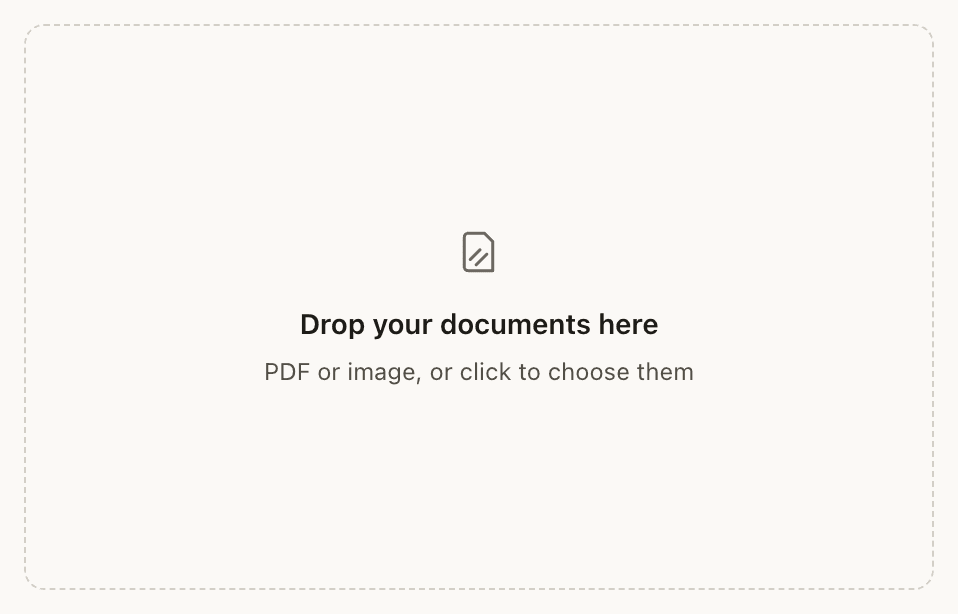
PDF, JPG, PNG. Several files at once. Step 03
Write your watermark
The field takes a short sentence, one hundred characters at most. The Templates list offers the most common wordings: “Document provided solely for …”, “Copy reserved for … on …”, “Confidential, do not distribute”, “Supporting document, rental use only”, “Non-contractual copy”.
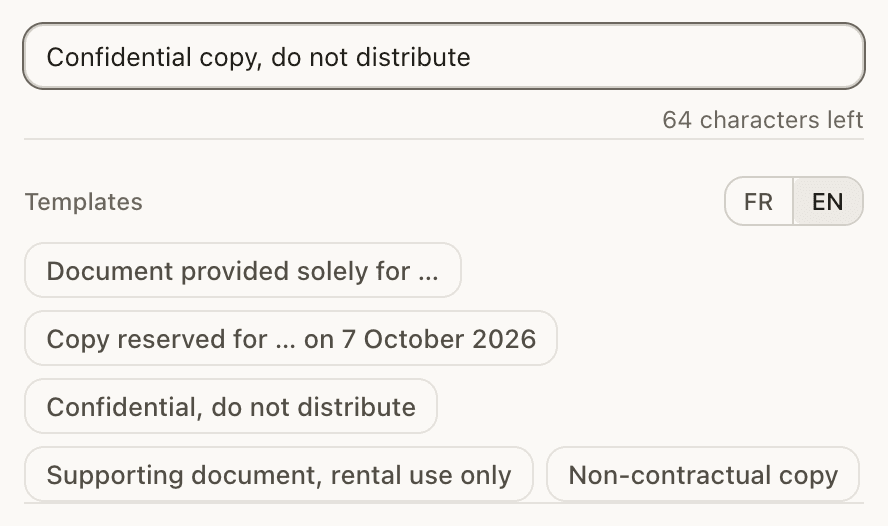
A hundred characters, and five ready-made wordings. Step 04
Check the preview, then apply
The preview shows the real rendering on your page, not a simulation. When it looks right, click Apply the watermark. On a long document Anoni warns you first that the text will no longer be selectable and the file will be heavier. That is exactly what bakes the mark into the image.
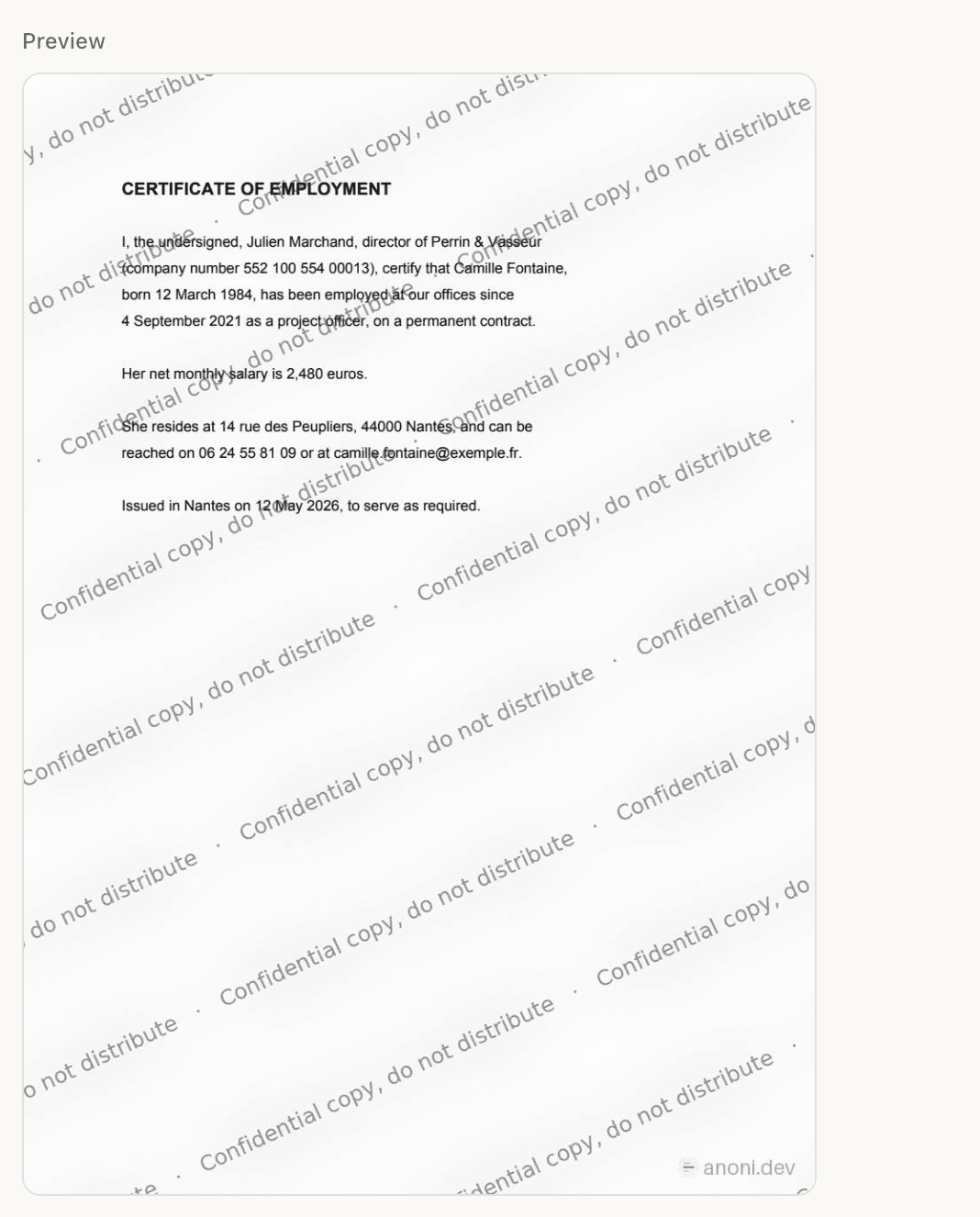
The real rendering on your page, not a simulation. Step 05
Collect your files
The Documents watermarked list appears at the end, with Open and Show in folder. Your original files are untouched: Anoni writes new ones beside them.
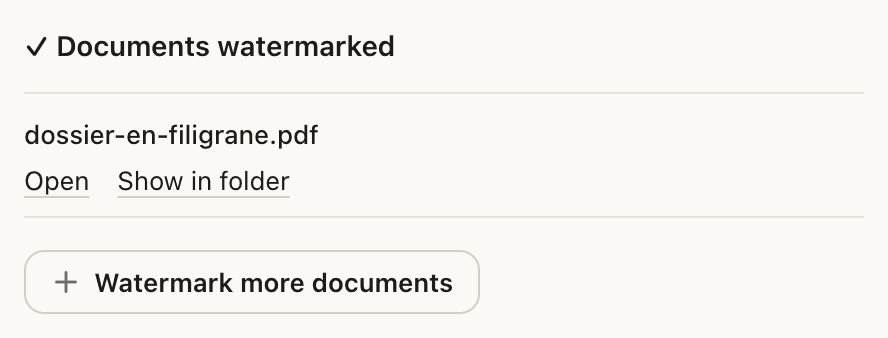
New files beside yours. The originals are untouched.
What to know
A watermark that does not peel off.
Most tools draw the watermark as an object sitting on top of the page. That is convenient, and it comes off in seconds: Acrobat ships a Remove Watermark command, and it works. Anoni never produces that. Every page is rendered to an image, the mark is tiled over it, and the PDF is rebuilt from there. The sentence is therefore part of the pixels, exactly like the text of the document. There is a price, and it should be said plainly: the text is no longer selectable, copyable or searchable, and the file gets heavier. That is what a mark that holds costs. If you need a document whose text stays selectable, do not watermark it.
The geometry comes from the French state's own service.
It is taken from FiligraneFacile (filigrane.beta.gouv.fr), the French government's watermarking service, published under the MIT license. The sentence is tiled onto a layer the size of the page diagonal, rotated by 25 degrees, with a heavily blurred copy of itself underneath. That blurred ghost is the part that matters: it turns “select the grey pixels and paint them out” into messy work rather than a mechanical operation. Anoni diverges on two points. The ink adapts to the page, because one fixed grey all but vanishes on a dark scan. And everything random is seeded, so a copy can still be recognised from the geometry of its own mark even after the visible code has been cropped away.
What to write on it.
A useful watermark says what the document is for, not that it is confidential. “Document provided solely for this tenancy” on a payslip or a tax notice: whoever receives it knows what they may do with it, and whoever finds it elsewhere knows they may not. “Non-contractual copy” on a draft sent out for comment. “Confidential, do not distribute” on a file handed to a third party. That is where the practice comes from: a rental application is the document people photocopy the most, and the one they lose control of fastest.
What goes in, what comes out.
You drop PDFs or images, JPG and PNG. You always get a PDF back, whatever went in. That is deliberate: your recipient gets one predictable thing that opens everywhere and prints the same. A word processor file is not accepted, and does not need to be: export it to PDF from your own software, then watermark the PDF. One caveat, which Anoni shows you itself: some organisations require an unmarked document. Check before marking a document you must supply as-is.
Knowing which copy a document came from.
With a Pro licence, Anoni writes one copy per recipient, each carrying its own code placed inside the mark. Cropping the code therefore means cropping the watermark. The register of copies stays on your machine and the names in it are encrypted. Later, the Check tab answers “where does this document come from” from the file you found, or from the code read off it. One limit, in the app's own words: the code identifies the copy, not whoever shared it. And no result proves nothing, because simply re-saving through another tool strips the metadata.
The document never leaves your machine.
The watermark is applied on your own computer. Nothing is uploaded, there is no queue on a server, and no file to remember to delete afterwards. Turn the Wi-Fi off and it still works. That is the rule for the whole application, and it matters most here: the documents people watermark are, by definition, the ones they do not want circulating. Uploading them to a service in order to protect them would be a contradiction. Worth knowing: the free version also adds a small anoni.dev mark on the pages, alongside yours.
Frequently asked
Is watermarking a PDF free?
Yes. Writing your watermark and applying it needs no Pro licence, on as many documents as you like. Only per-copy tracing, with a code for each recipient and its register, needs a Pro licence.
Can Anoni remove a watermark from a PDF?
No, and that follows from what the tool does. Anoni puts watermarks on, it does not take them off. That is the whole point of the way it applies them: baked into the pixels, they do not come off with another tool either.
Is the watermark invisible?
No. It is visible and tiled across the page, and that is the principle: it has to show on a screenshot as much as on a photocopy. Anoni does no invisible digital watermarking and no steganography.
Is my original file modified?
No. Anoni reads your files and writes new ones beside them. The originals stay exactly as they were, where they were.
Which systems?
macOS, Windows and Linux, with the same tool.
More guides
- 14 October 2026Convert a PDF to WordA PDF into an editable .docx, on your own machine. What the conversion keeps, and what it does not.
- 27 September 2026Protect your rental applicationYour documents go out to strangers, several times over. A watermark says what they are for, and what they are not for.
- 27 September 2026Anonymize before AI, in 4 stepsThe whole loop: open, let Anoni mask, paste into the AI, decode the reply.
To watermark your first document, download Anoni. See also tracing the copies you hand out, how to convert a PDF to Word, and the other guides.